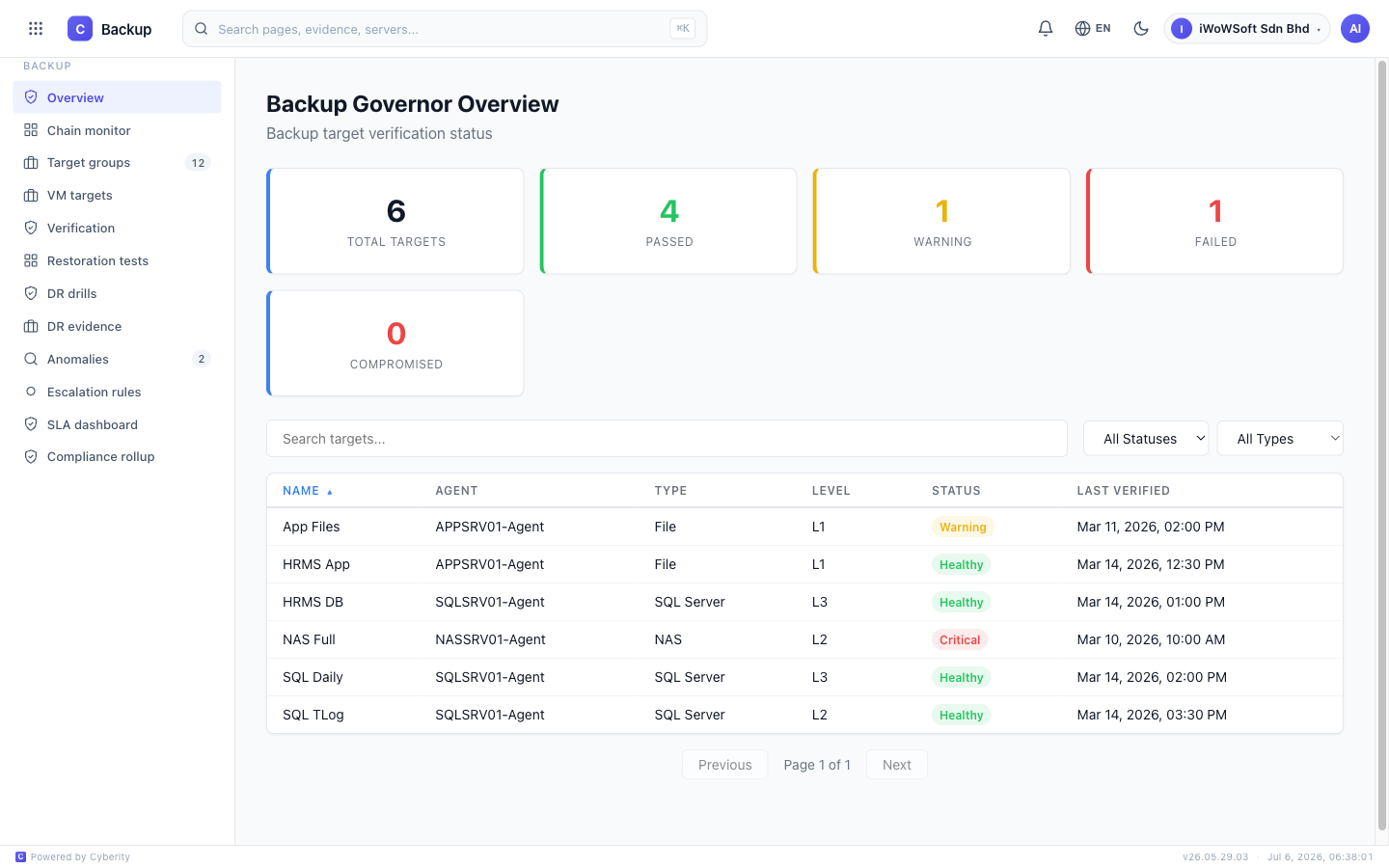
Prove your backups actually work. Automate verification, DR testing, and audit-ready evidence.
It's everything after — the quiet doubts that only surface the day you actually need to restore. If any of these feel familiar, you're in good company. They're the moments we know well.
This isn't a mock-up. It's the same view our customers watch — quietly doing the checking, so the answer is already there on the day it matters.
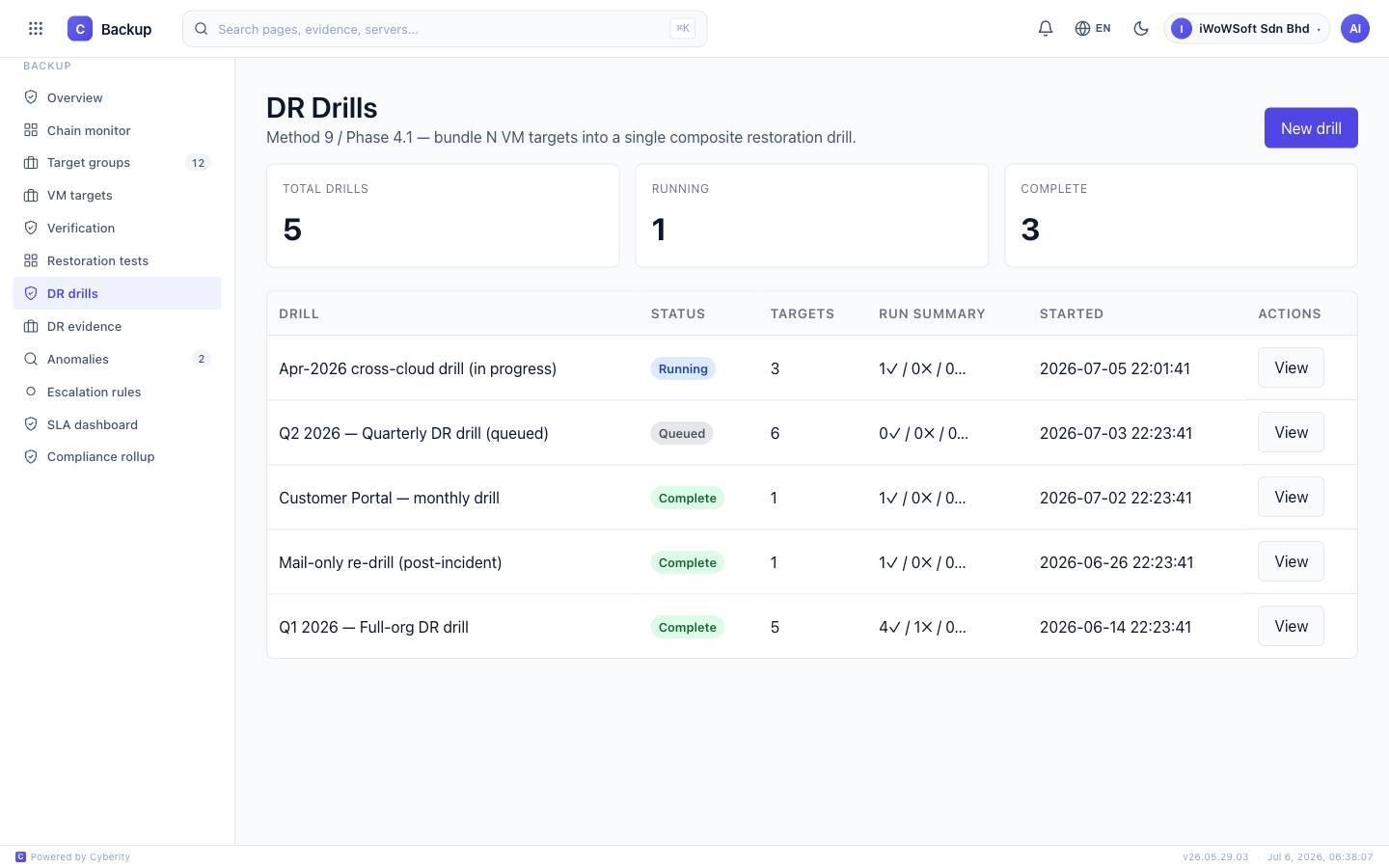
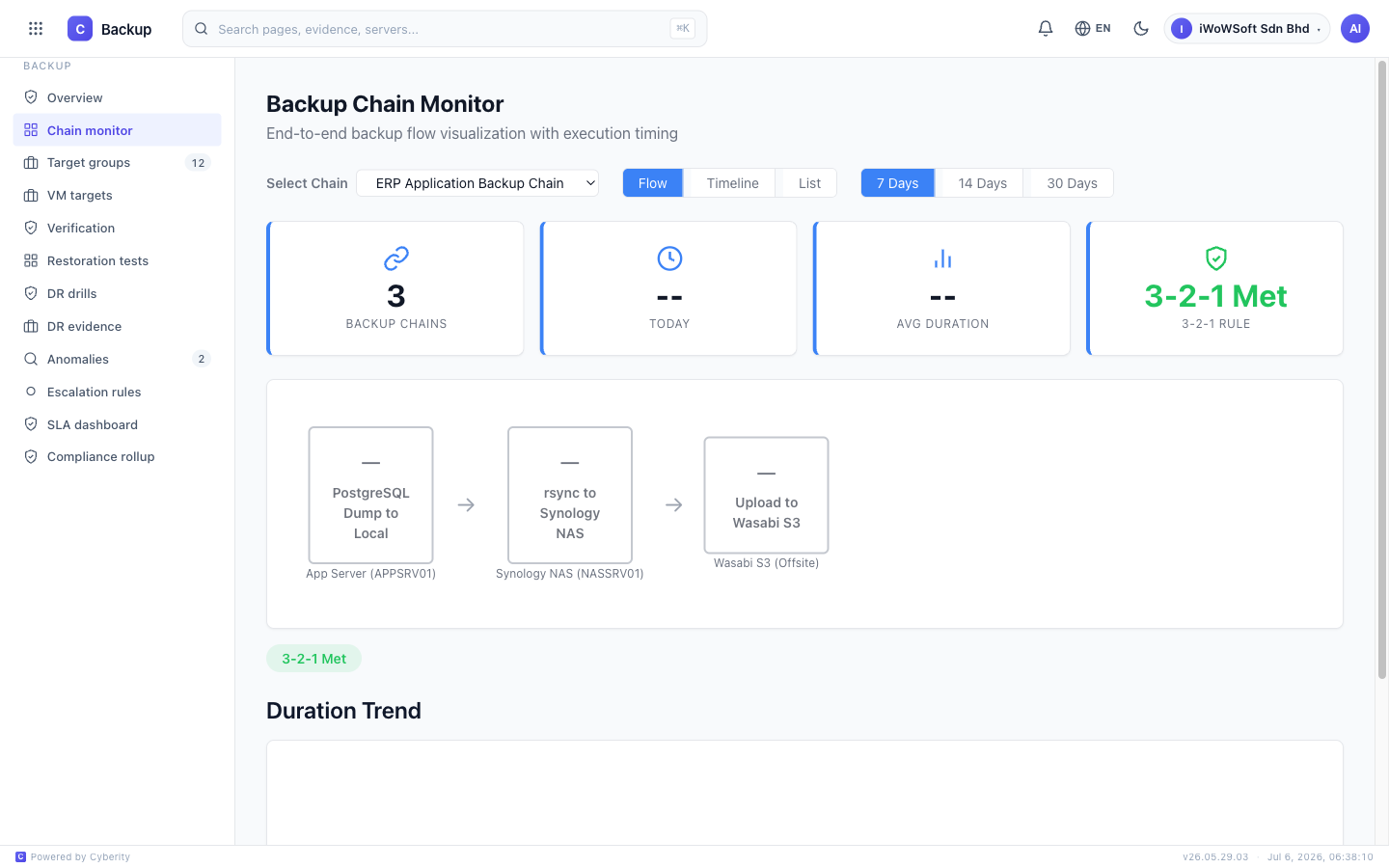
Multi-level verification, automated DR testing, anomaly detection, and immutable evidence chains.
L1: Integrity checks | L2: Metadata validation | L3: Full restore to staging | L4: Application-level verification
Schedule periodic restore tests automatically. Test different backup types without manual intervention.
Detect backup size anomalies, timing changes, and frequency gaps. Alert when backups deviate from expected patterns.
Measure actual recovery time and point objectives from real restore tests. Prove your RTO/RPO SLAs are met.
Works with Veeam, Commvault, Backup Exec, Nakivo, Acronis, and other backup systems.
Evidence hash chains prevent tampering. Cryptographic proof that backup data hasn't been modified.
Three simple steps from backup job to audit-ready evidence.
API keys to Veeam, Commvault, or deploy lightweight agents. Backup Governor starts collecting verification data automatically.
Schedule automated multi-level verification. L1 checks run daily. L3/L4 restores run on schedule. Anomalies detected in real time.
One click generates audit-ready backup verification reports. RTO/RPO proof, anomaly logs, restore test results.
Different levels for different audit requirements.
The worst backup to restore is the one that's already encrypted. As Backup Governor verifies each restore, it scans the recovered data for the fingerprints of ransomware — and compares every backup with the one before it.
A backup that looks encrypted is flagged Compromised and quarantined — so a tainted copy never quietly becomes the one you recover from.
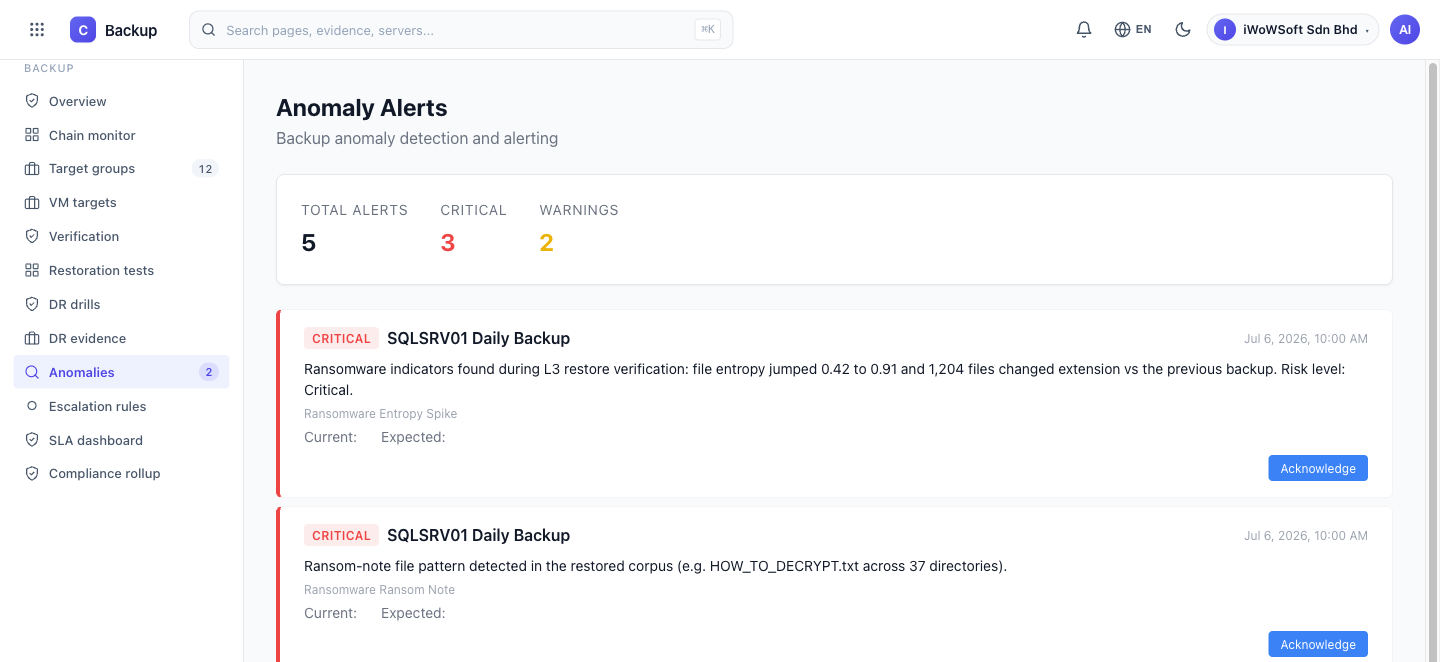
Real detection in Backup Governor — a compromised backup flagged Critical.
Backup Governor works with the reputable clouds you already use — bring your own AWS, Azure, Google Cloud or Cloudflare account — or let us manage storage for you. And if security means nothing should leave your premises, keep everything on your own on-premises storage. Your data, your choice.
What actually changes when you add Backup Governor.
Backup Governor collects and formats evidence automatically. Auditor requests answered in minutes.
Real restore tests prove your backups work. No more "we hope our backups are good" anxiety.
Anomalies detected before they become disasters. Backup size drops? You know immediately.
Stop guessing. Actual restore test data proves your RTO and RPO. Use real numbers in SLAs.
Hash chains prevent evidence tampering. Auditors trust the data. Regulatory bodies accept it as proof.
Evidence isn't tied to Veeam. Switch backup vendors anytime. Compliance data travels with you.
Test them, verify them, prove they work. Backup Governor automates the whole process.